
How To Link a Facebook Account to PGSharp
If you play Pokémon GO using PGSharp, you probably like signing in through your Facebook account. It’s easy and quick, and keeps all your progress saved even if you switch phones. But sometimes, linking Facebook with PGSharp can get tricky. You try to log in, and it just doesn’t connect, no matter how many times you tap that button.
Don’t make a fuss over it. This is a pretty common issue that many players face. The good thing is that it is not hard to fix once you know what to do. In this guide, I’ll explain how you can link your Facebook account to PGSharp the right way. I’ll also share what usually causes login problems and how you can solve them quickly so you can get back to the fun part of playing Pokémon GO without walking all over the place.
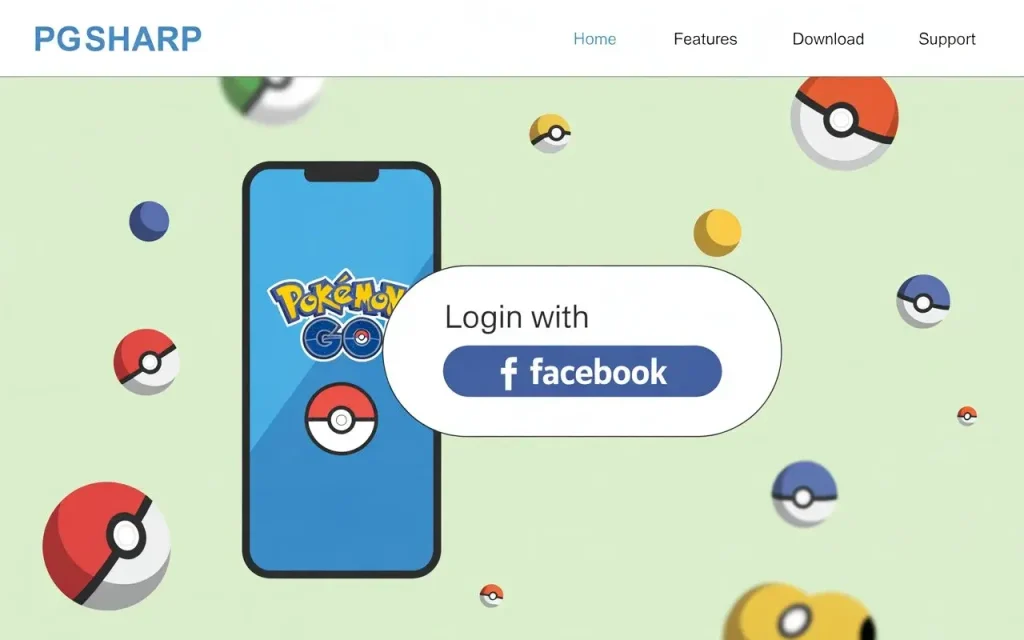
Why Should You Link Your Facebook Account to PGSharp?
Linking Facebook account to PGSharp just makes life easier for Pokémon GO players. It keeps everything tied to your account – your Pokémon, levels, items, XP, all your progress – safe in one place. If you replace or change your phone or reinstall the game, you don’t have to worry about losing anything. The best part? You can skip the boring part of typing passwords every time. Just hit “Continue with Facebook” and you’re straight into the game.
It’s also a huge help if you like using PGSharp has extra features like the joystick, teleporting, or auto-walk. Once your Facebook is connected, all your settings and data automatically sync across devices. That means no redoing setups or losing preferences — everything just works smoothly.
Step-by-Step Guide to Link Facebook with PGSharp
Open Pokémon GO on Your Device
You will open the Pokémon GO app on your phone. Make sure you’re logged in with the Facebook account that has all your game progress and Pokémon saved — this helps avoid any mix-ups later.
Check Linked Accounts in Settings
Go to the game settings menu and scroll down, and go to Linked Accounts. Confirm that your Facebook account is already connected. This ensures your progress is safe.
Link a Google or Pokémon Trainer Club Account
Since PGSharp doesn’t support direct Facebook login, connect your Pokémon GO account to either a Google or Pokémon Trainer Club (PTC) account. This will act as your login method for PGSharp.
Install and Open PGSharp
Download the PGSharp from the official website and install it on your device. Open it, and you will see Pokémon GO’s familiar screen, but with extra PGSharp features like a joystick and teleport options are also over there.
Log In Using the Linked Account
When PGSharp starts, select the Google or PTC login option that you just linked to Facebook. This will load your exact same Pokémon GO progress safely into PGSharp.
Start Playing with PGSharp Features
Once logged in, you can use all the handy tools — joystick movement, teleporting, auto-walk, and more. Everything from your Facebook-linked Pokémon GO account will stay synced and secure.
How to Fix Facebook Login Not Working in PGSharp
Check Your Internet Connection
Before diving into anything complex, take a second to check your internet. Sometimes it’s just a weak Wi-Fi signal or slow data messing things up. Try toggling airplane mode or switching networks — you’d be surprised how often that alone fixes the problem.
Update Pokémon GO and PGSharp
Outdated apps can easily cause login errors. You will open the Play Store to see if Pokémon GO has an update available, and download the latest PGSharp version from its official site. Updating both apps often clears out small bugs and makes Facebook login run smoothly again
Clear Cache and Restart the App
If the login screen keeps failing, your app might just be holding on to old cache files. Go to the app Settings → Apps → PGSharp, hit “Clear Cache,” then restart the app. It’s a quick reset that often gets everything back on track.
Recheck Your Linked Accounts
Open your Pokémon GO settings and check if your Facebook is still linked. Sometimes, updates or permissions can unlink it without notice. If it’s disconnected, simply reconnect it — and while you’re at it, consider adding Google as a backup login option.
Reinstall the PGSharp or Reboot Your Device
When nothing works, then a clean reinstall usually does the trick. Delete PGSharp, install the latest version again, and restart your phone before logging in. This clears hidden glitches and gives you a fresh start with Facebook login.
Tips To Avoid Login Problems
Keep PGSharp and Pokémon GO Updated
Make sure both Pokémon GO and PGSharp are always up to date. Updates will not just bring new features, but they will also fix hidden bugs that can cause login errors. Checking for updates once a week can save you a lot of frustration later.
Use the Official PGSharp Source
Only download PGSharp from its official website. Third-party or modded versions might seem tempting, but they often cause crashes or Facebook login problems. The official version is safer, more stable, and works best with the real game.
Check Facebook Permissions Regularly
Sometimes, Facebook updates can reset app permissions without warning. Go into your Facebook settings and confirm that PGSharp still has access. If not, simply reconnect it — this small step helps you avoid sudden login issues.
To Avoid Switching Accounts Frequently
Try not to jump between multiple Facebook profiles. Switching accounts too often can confuse PGSharp and break the connection to your main game data. Stick to one account to keep your progress synced and your login smooth.
FAQs
Final Words
Connecting your Facebook account to PGSharp is a smart and reliable way to protect your Pokémon GO data and keep everything perfectly synced. Once you know how to connect PGSharp with Facebook, logging in becomes effortless, saving you time every time you play. If your PGSharp Facebook login ever stops working, simply update both apps or check your Facebook connection settings to fix the issue. Always download the verified PGSharp version from its official website to avoid bugs, glitches, or login failures. Keeping Facebook linked to PGSharp guarantees smoother performance, secure access, and a worry-free Pokémon GO experience every single time.


